Receipt 4
Digitaler Quittungsblock. Papierlos Quittungen ausstellen.
Receipt 4
Digitaler Quittungsblock. Papierlos Quittungen ausstellen.
Schnell und einfach Quittungen ausstellen
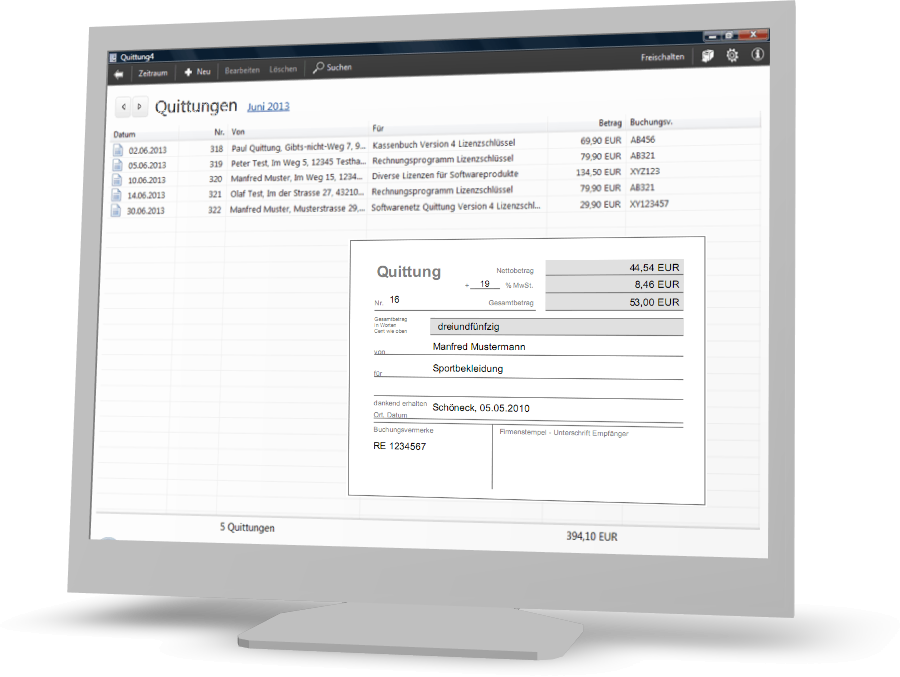
Mit dem Softwarenetz Quittungsprogramm erstellen Sie schnell und einfach Ihre eigenen Quittungen. Ihren Quittungsblock werden Sie nicht mehr brauchen.
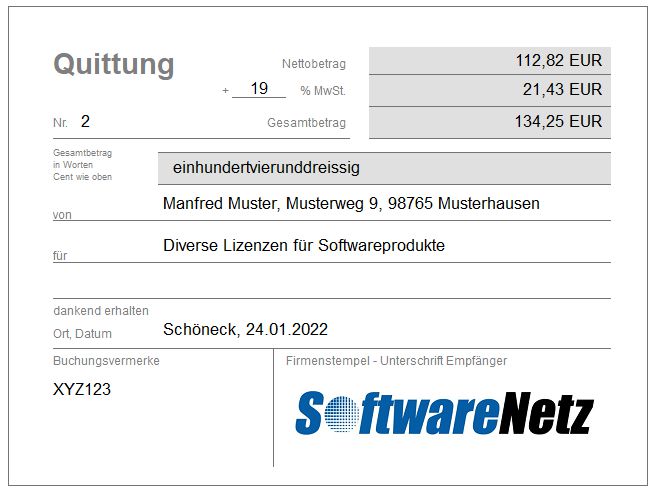
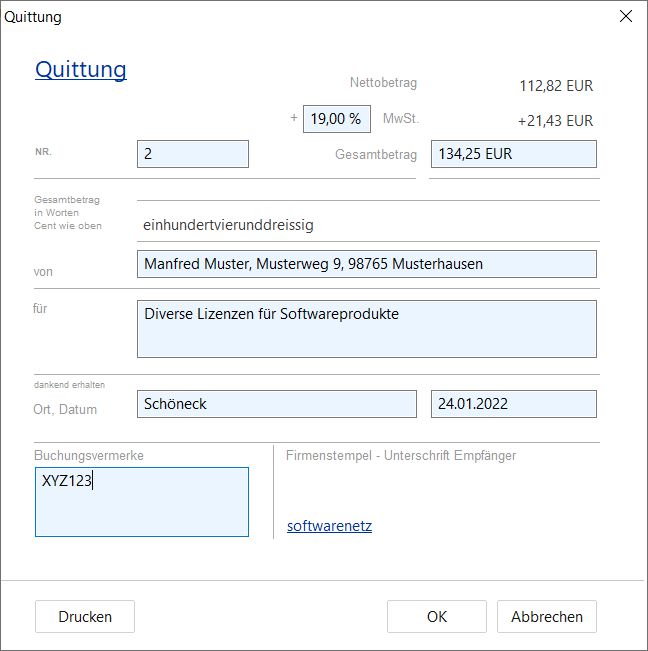
Das Programm füllt die meisten Quittungsfelder bereits vollautomatischaus (MwSt., Nettobetrag, Betrag in Worten, Datum...), andere Felder können Sie mit Standardwerten vorbelegen (z.B. Ort und Verwendungszweck), so dass Sie auch diese Felder nur bei Bedarf manuell ausfüllen.
Blankoquittungen
Der Ausdruck von 'leeren' Quittungen ist ebenfalls möglich. Drucken Sie Blankoquittungen mit oder ohne Firmenstempel, die Sie später manuell ausfüllen.

Pdf-Quittung
Papierlos Quittungen per Mail senden

Firmenlogo
Ihr Firmenlogo als Stempel

Ausfüllhilfe
Einfach nur den Betrag eingeben
Liste und Exportfunktionen
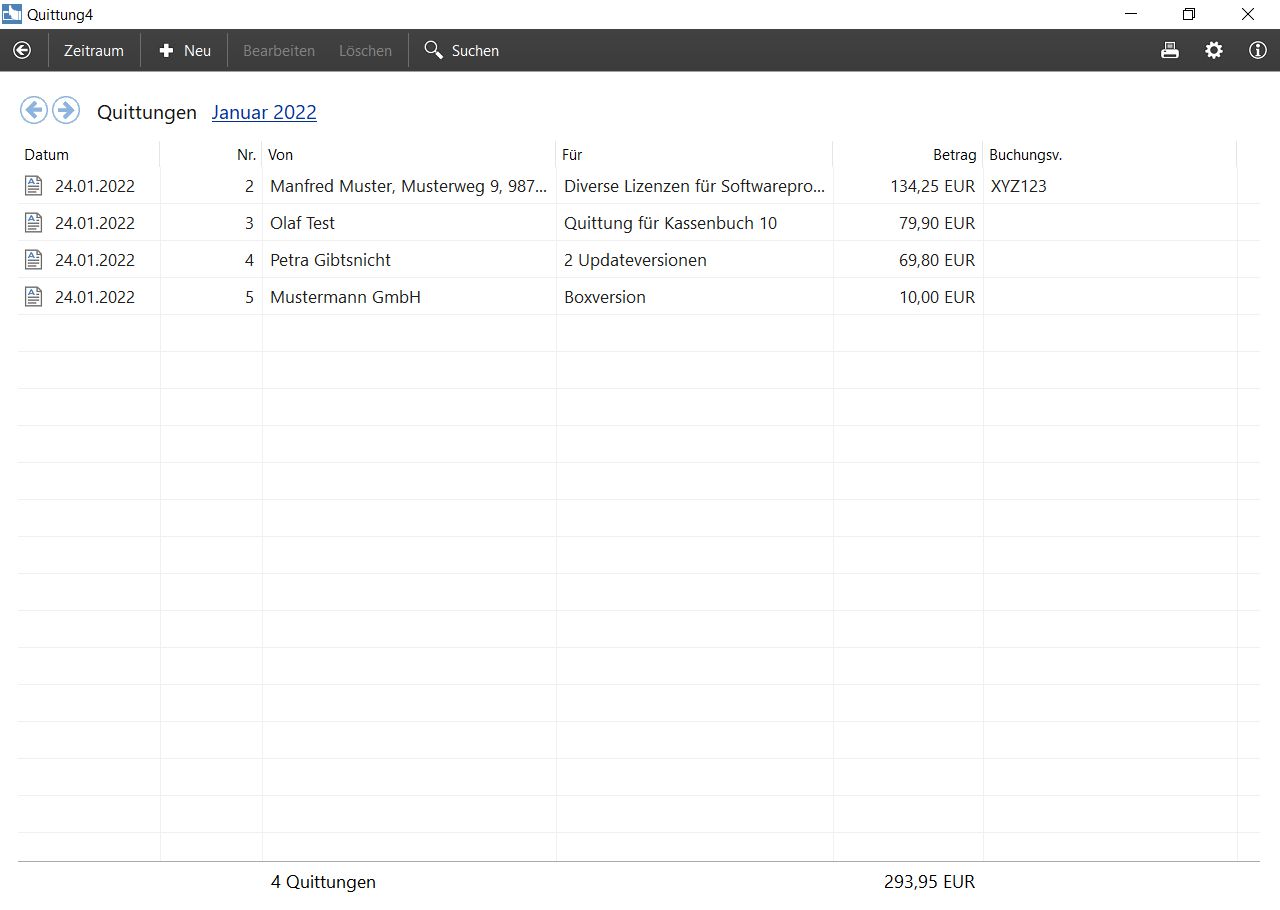
Alle Quittungen werden automatisch gespeichert und sind jederzeit verfügbar und erneut ausdruckbar. Sie können auch sämtliche Quittungen eines frei wählbaren Zeitraums als Liste ausdrucken oder die Daten im CSV-Format zur Weiterverarbeitung in anderen Programmen exportieren lassen.
Ausfüllhilfe
Nach Eingabe des Betrags, wahlweise als Netto- oder Bruttobetrag, stellt das Programm den Betrag 'in Worten' automatisch dar. Die meisten Werte können mit Standardtexten vorausgefüllt werden.
Firmenstempel
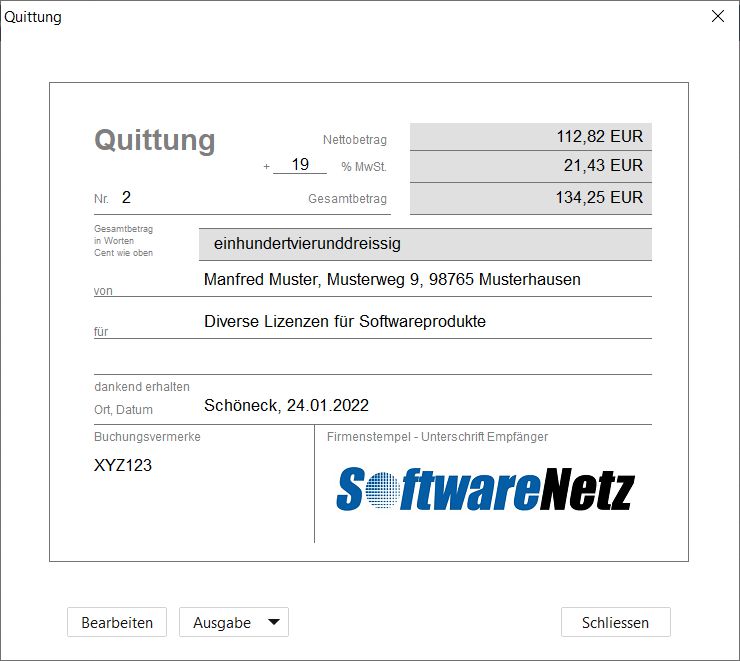
Auch ihr Firmenstempel wird auf Wunsch gleich mitgedruckt. Sie können eine Grafikdatei oder auch Texteingaben als Stempel verwenden. Es können beliebig viele verschiedene Firmenstempel im Programm hinterlegt werden, Sie wählen einfach den passenden Stempel, vor dem Druck, per Mausklick.
PDF-Quittungen per E-Mail
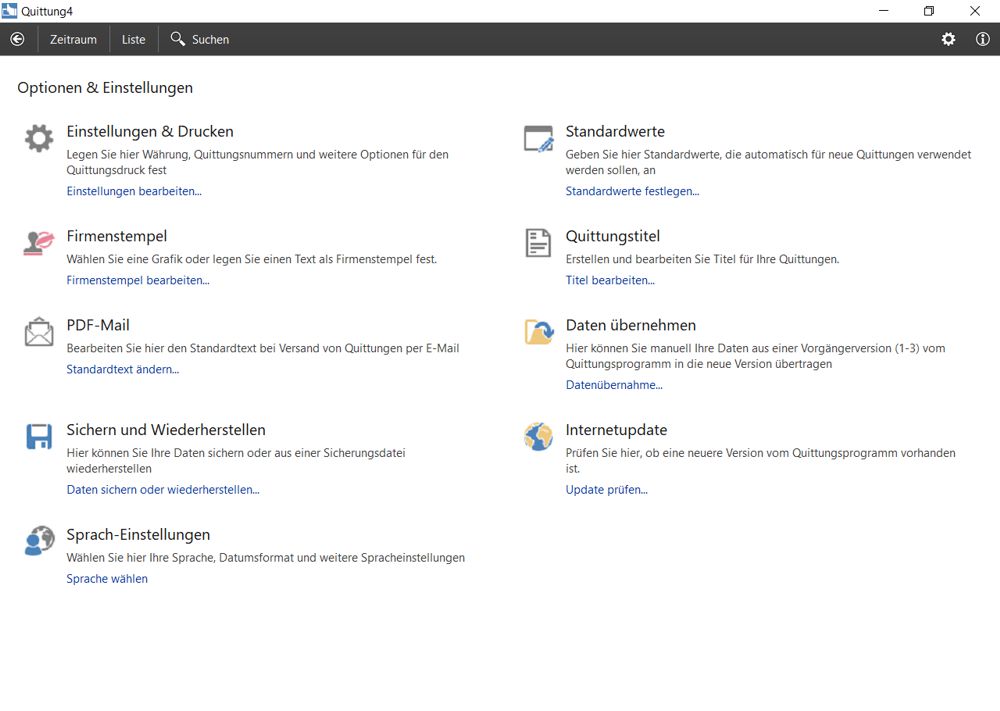
Per Mausklick können Sie Quittungen auch als PDF-Dokument speichern oder direkt als E-Mail versenden lassen.
Kompatibel mit Cash book 10
In Verbindung mit dem Cash book können Sie direkt bei Buchungseingabe im Kassenbuch per Mausklick eine Quittung über den angegebenen Betrag drucken lassen. In Verbindung mit dem [KASSENBUCH] können Sie direkt bei Buchungseingabe im Kassenbuch per Mausklick eine Quittung über den angegebenen Betrag drucken lassen.
Kostenlos 30 Tage ausprobieren
Sie können das Programm Receipt vollkommen kostenlos und unverbindlich laden und installieren. Nach der Installation können Sie das Programm für 30 Tage uneingeschränkt verwenden und ausprobieren.
Free download...
Bildschirmfotos vom Programm
Receipt 4 kostenlos laden
Start downloadMore information
| Program | Receipt 4 |
| Version | 4.06 |
| File | quitt4.exe |
| Size | 13.9 MB |
| Betriebssystem | Windows 7, Windows 8, Windows 10, Windows 11 |
| Languages |
Deutsch Nederlands English Francais Espaniol |
Vorgängerversionen des Programms
| Receipt 3 | quitt.exe |
After the first installation you can test the program for 30 days without any charges and conditions.
Sie können das Programm sofort nach dem Download uneingeschränkt verwenden. Erst nach 30 Tagen benötigen Sie eine Lizenznummer um fortzufahren.
Problems during the download or the installation? Our support team will be pleased to help you.

Delivery time
Sofort nach Zahlungseingang

Sending
Licence per email
Preise für mehrere Arbeitsplätze
| Quantity | Price per licence |
|---|---|
| 1 | 29,90 € |
| 2-5 | 27,90 € |
| 6-9 | 25,90 € |
| 10+ | 23,90 € |
Is often purchased together with

Conditions
Sie können eine vergünstigte Updatelizenz bestellen, wenn Sie bereits eine Lizenz für eine Vorgängerversion vom Programm erworben hatten.
So funktioniert es......
Um zu prüfen, ob Sie berechtigt sind eine Updatelizenz zu erwerben, geben Sie bitte Ihre bisherige Lizenznummer an.
Your 'old' licence number can be found in the program 'Receipt' under [Info].
Compatible products Diese Artikel könnten Sie auch interessieren