Address organisation 3
Für ihre geschäftlichen und privaten Adressen.
Address organisation 3
Für ihre geschäftlichen und privaten Adressen.
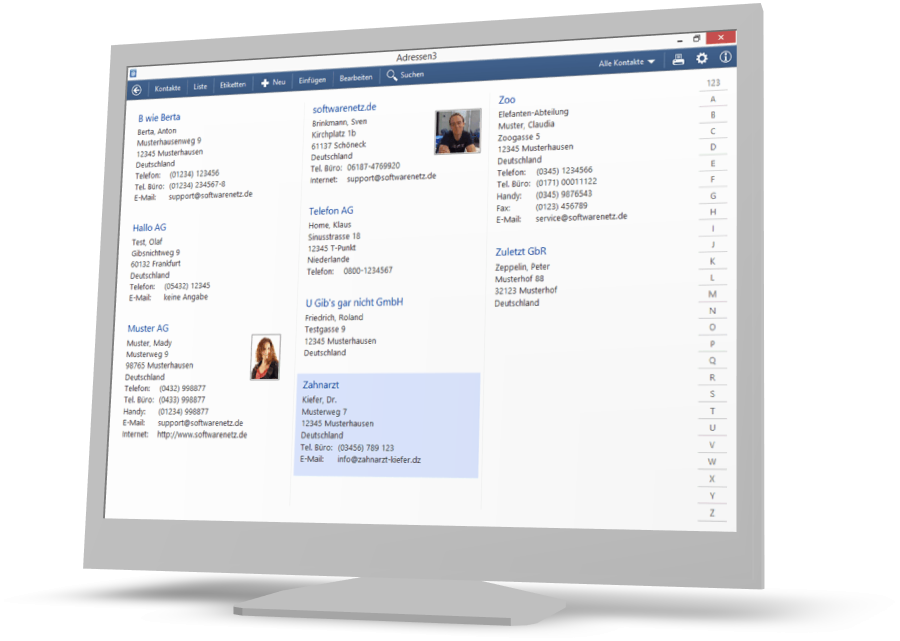
Adressen 3 - Die komfortable Adressverwaltung
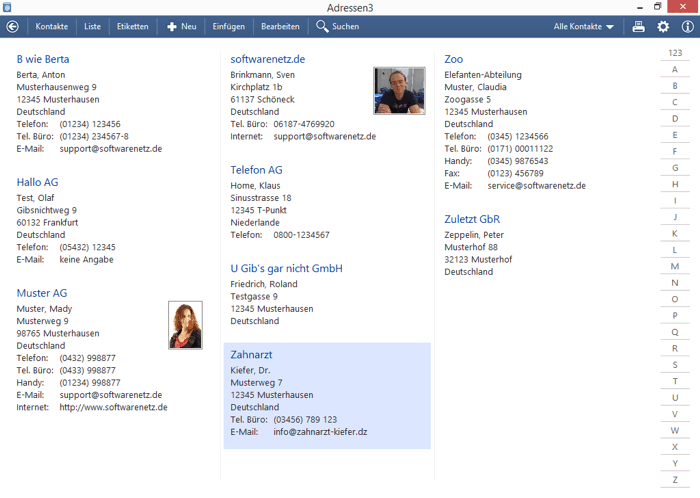
Adressen 3 verwaltet einfach und übersichtlich Ihre privaten und geschäftlichen Kontakte. Viele Zusatzfunktionen helfen Ihnen bei täglich anfallenden Vorgängen. Sie können in der Adressverwaltung beliebig viele Kontakte mit Telefonnummer, Handynummer, Fax und E-Mail und vielen weiteren Informationen erfassen.
Fotos
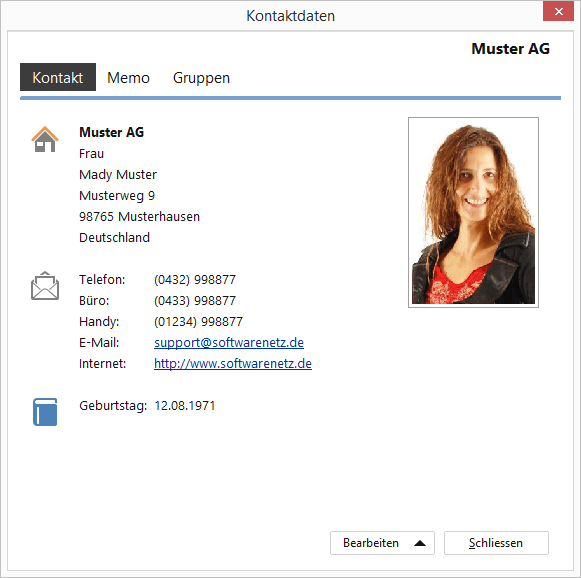
Zu jedem Kontakt können Sie ein Foto im JPG- oder GIF-Format speichern. Die Adressen werden wahlweise mit oder ohne Foto in der Kontaktdaten-Ansicht dargestellt.
Adressen kopieren
Um eine Adresse in ein anderes Dokument zu übernehmen, klicken Sie einfach auf [Kopieren] und fügen die Adresse im Textverarbeitungsprogramm mit [Einfügen] einfach dort ein, wo Sie stehen soll.
Neue Kontakte einfach einfügen
Softwarenetz Adressen 3 kann Kontaktdaten direkt aus der Windows-Zwischenablage einfügen. Markieren und kopieren Sie z.B. auf einer Internetseite oder in einer E-Mail einfach die Adresse, und fügen Sie die Daten mit einem Mausklick als neuen Kontakt im Programm ein. Adressen 3 analysiert die Daten und erkennt Name, Strasse, Stadt und die Anrede anhand des Vornamens.
Etiketten und Umschläge bedrucken
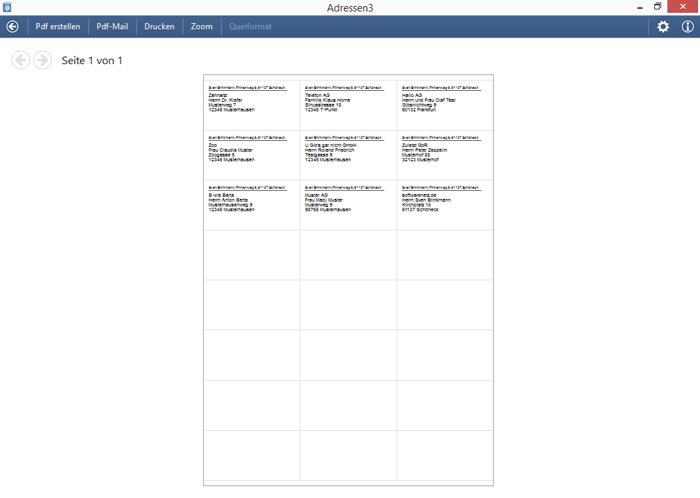
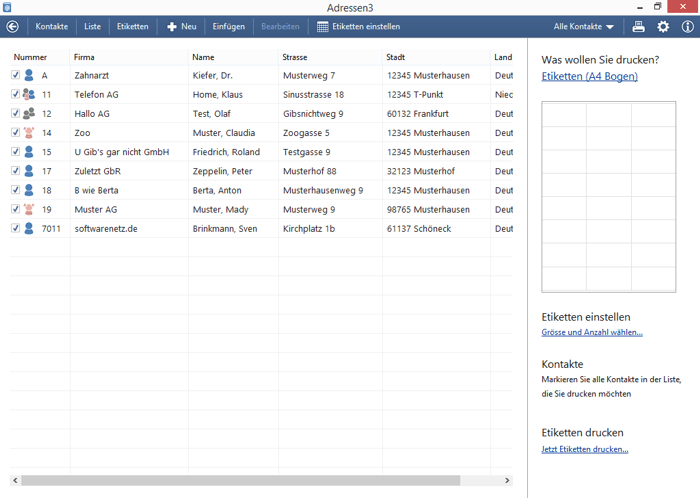
Sie können beliebig viele Adressen auf Etiketten oder Umschläge drucken lassen. Adressen 3 unterstützt Etikettenbögen (DIN A4), Endlos-Etikettendrucker (z.B. Dymo) und den Druck von Briefumschlägen. Natürlich können Sie ihre Kontakte in Gruppen unterteilen und z.B. nur Etiketten für die Gruppe 'Weihnachtspost' drucken.
KIX-code
Met Adressen3 kunt u op etiketten en enveloppen de KIX-code printen waardoor de sorteercentra van PostNL de afzender machinaal kunnen lezen.

Per Klick E-Mail-Programm öffnen

Anrufen
Mit Tapi-Treibern direkt anrufen

Adressetiketten und Umschläge bedrucken
Netzwerkfähig
Sie können die Adressverwaltung auf beliebig vielen Stationen im Netzwerk betreiben und auf die gleichen Daten zurückgreifen, neue Kontakte und Änderungen werden automatisch auf allen Stationen angezeigt. (Sie benötigen 1 Lizenz je Arbeitsplatz)
Drucken und Export
Neben dem Etikettendruck können Sie Ihre Adressen auch als Liste ausdrucken. Ausserdem können Sie eine HMTL-Datei mit allen Adressen erstellen lassen. Für die Weitergabe an andere Anwendungen (z.B. Word), können Sie die Adressen in eine Text- oder CSV-Datei exportieren lassen.
Um eine E-Mail zu senden, genügt ein Knopfdruck auf die E-Mail-Adresse. (Voraussetzung ist ein installiertes E-Mail-Programm mit Windows Mapi-Schnittstelle)
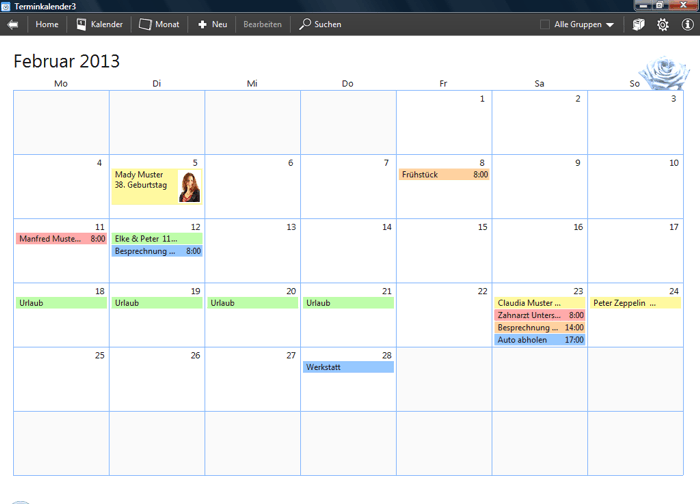
Termine & Textverarbeitung
Die Softwarenetz Adressverwaltung ist kompatibel zum Programm Calendar .Geben Sie neue Termin per Mausklick ein und ordnen Sie einen Kontakt zum Termin zu.
Zusammen mit der Text editor können Sie direkt aus Adressen 3 Dokumente erstellen und Serienbriefe für Ihre Kontakte drucken.
Home-Ansicht
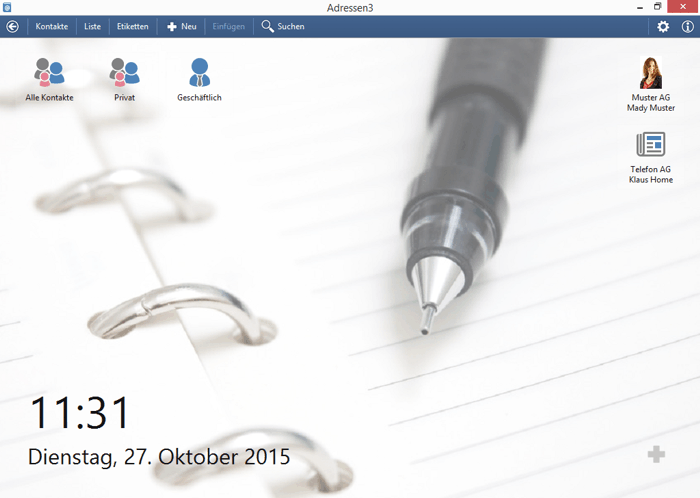
Neu in Version 3 der Adressverwaltung ist der Homebildschirm. Sie können die Homeansicht entsprechend Ihren Wünschen gestalten, wählen Sie Farbe und Hintergrundbild und wählen Sie Ihre Favoriten aus Gruppen und Kontakten.
Kostenlos 30 Tage ausprobieren
Sie können das Programm Address organisation vollkommen kostenlos und unverbindlich laden und installieren. Nach der Installation können Sie das Programm für 30 Tage uneingeschränkt verwenden und ausprobieren.
Free download...
Bildschirmfotos vom Programm



Address organisation 3 kostenlos laden
Start downloadMore information
| Program | Address organisation 3 |
| Version | 3.14 |
| File | adresse3.exe |
| Size | 17.1 MB |
| Betriebssystem | Windows 7, Windows 8, Windows 10, Windows 11 |
| Languages |
Deutsch Nederlands English Francais Espaniol |
Vorgängerversionen des Programms
| Address organisation 1 | adressen.exe |
| Address organisation 2 | adresse2.exe |
After the first installation you can test the program for 30 days without any charges and conditions.
Sie können das Programm sofort nach dem Download uneingeschränkt verwenden. Erst nach 30 Tagen benötigen Sie eine Lizenznummer um fortzufahren.
Problems during the download or the installation? Our support team will be pleased to help you.

Delivery time
Sofort nach Zahlungseingang

Sending
Licence per email
Preise für mehrere Arbeitsplätze
| Quantity | Price per licence |
|---|---|
| 1 | 19,90 € |
| 2-5 | 17,90 € |
| 6-9 | 15,90 € |
| 10+ | 13,90 € |
Is often purchased together with

Conditions
Sie können eine vergünstigte Updatelizenz bestellen, wenn Sie bereits eine Lizenz für eine Vorgängerversion vom Programm erworben hatten.
So funktioniert es......
Um zu prüfen, ob Sie berechtigt sind eine Updatelizenz zu erwerben, geben Sie bitte Ihre bisherige Lizenznummer an.
Your 'old' licence number can be found in the program 'Address organisation' under [Info].
Compatible products Diese Artikel könnten Sie auch interessieren